
Our vinyl lettering configurator can be used to create multi line vinyl decals, you can add lines and change the font for each line if you want as well as the colour. Scrolling down further on the configurator will get you to the ‘More Options’ section where you will be able to add clip art, re-size it and re-colour it.
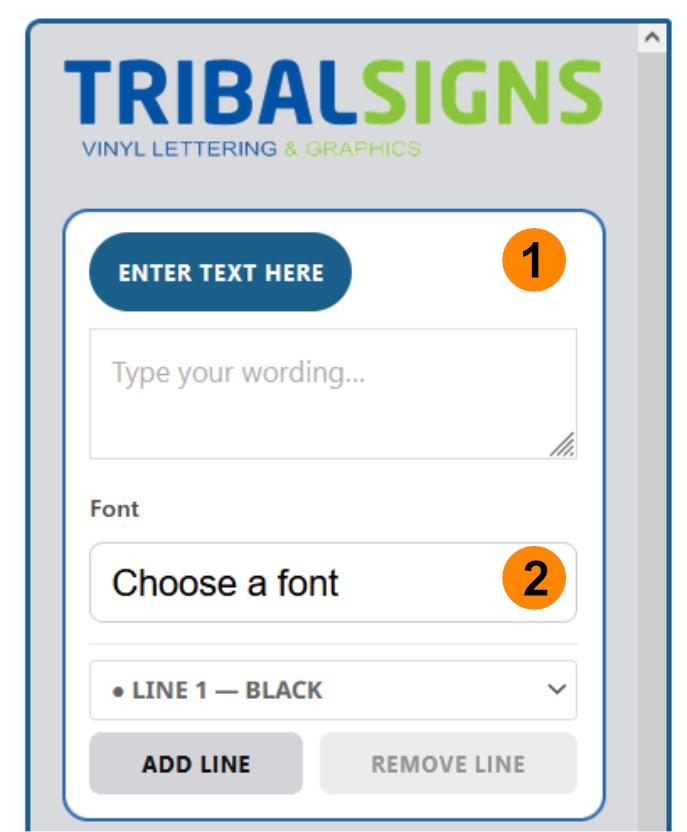
- First enter your text,
- Now choose your font from the drop down
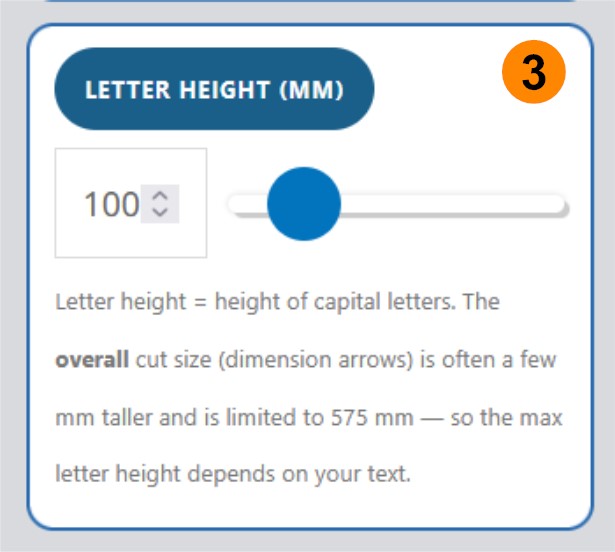
3. Using the height slider, move it to get your desired height or width of text (you can’t distort the text, it stays uniform).
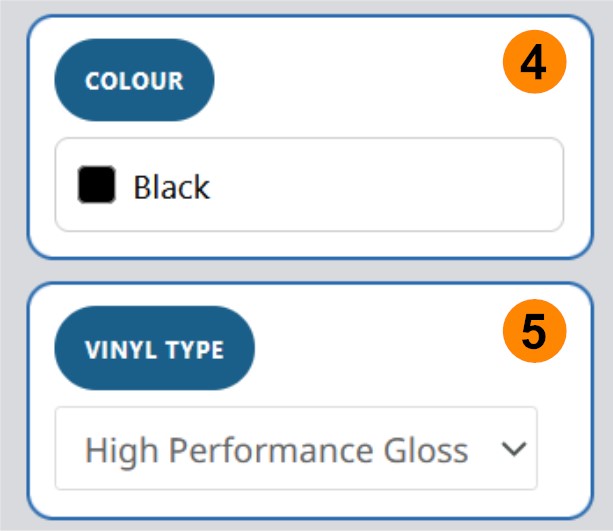
4. Choose your colour (these will change depending on the vinyl type you have selected)
5. Choose your vinyl type – High performance vinyl is perfect for all outdoor signage requirements, whether it’s a shop facia, vehicle lettering, A-Board lettering etc. Matt is great for indoor work as it doesn’t reflect the light like the high performance gloss can do, it has a 4-5 year life outside so is still suitable for exterior signage. We have a high performance matt white and matt black. Choose from window etch effect material or reflective or the chrome gold and silver for that premium look.
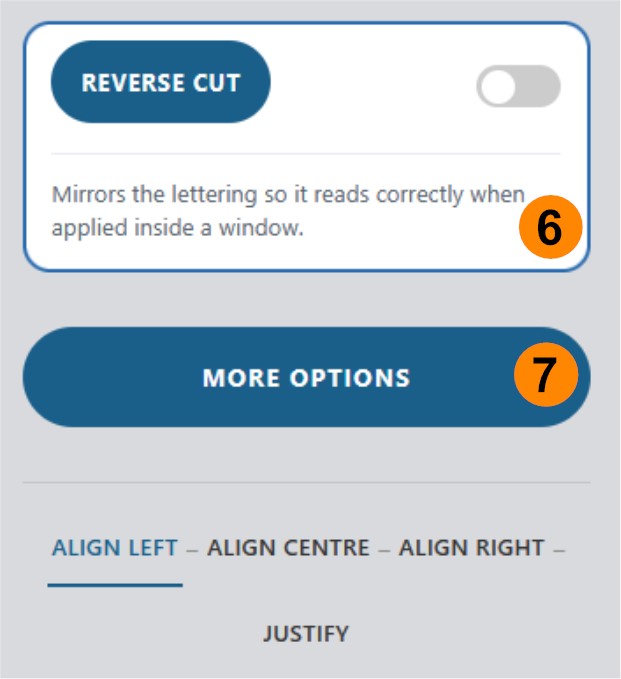
6. You can select reverse cut here (or not) depending on whether you want to stick your lettering to the inside of a window to be read from the outside, if this were the case you would select reverse cut.
Further down below the colour and material section is a ‘more options’ button, click this and it opens up the clip art section, arc text and alignment controls.
That’s the basics to get you started, once you’ve put your text in chosen font, colour and size you can select your quantities and add to the cart. If you’re feeling more adventurous you can start adding multiple lines with the ‘add line’ feature where you can change font and colour by line.
If you get stuck you can use the chat facility (bottom right of the screen) and we’ll do our best to answer you straight away.